Kling ecosystemExplore native audio, multi-shot video and motion controlExplore Models

The Kling 4 AI Creative Workspace for Creators & Marketers

Estimating…
Explore Kling 4.0
Core capabilities

Explore the capabilities of Kling 4.0

Create Kling 4.0 AI videos with realistic motion, synchronized audio, Omni Reference, up to 30-second video generation, and 4K output.

Professional Audio-Visual Performance

Create more lifelike Kling 4.0 AI videos with stable dynamic motion and immersive audio. Kling 4.0 handles high-speed movement, continuous action, tracking shots, orbit shots, and complex camera motion while keeping scenes smooth and stable. Improved Lip Sync keeps voices and performances naturally synchronized, while two-channel stereo, realistic lighting, detailed textures, and more expressive characters bring greater realism to every scene.

Greater Control with Omni Reference

Use Omni Reference to give Kling 4.0 AI video generation more precise visual and motion guidance. Kling 4.0 supports up to 15 reference items across images, videos, voice references, and subjects. Combine references to control characters, products, actions, camera movement, composition, visual styles, and narrative pacing while maintaining stronger consistency across the generated video.

30-Second Storytelling

Tell longer and more complete stories with Kling 4.0, supporting video generation from 3 to 30 seconds. Kling 4.0 can maintain continuous actions and narrative development across longer sequences.

Multi-Keyframe Creative Control

Up to 10 keyframes give you precise control over important character states, scene changes, and story beats. Prompts of up to 8,000 tokens provide even more room to describe complex creative ideas.

High-Resolution Video up to 4K

Bring more detail to Kling 4.0 AI video with support for 720p, 1080p, and 4K resolution. Kling 4.0 also lists 10-bit HDR for 1080p and 4K output, providing richer color and smoother transitions between highlights and shadows. Support for 21:9 ultrawide, 16:9, 1:1, and 9:16 aspect ratios gives creators more flexibility for cinematic, social, and vertical video formats.

Create Diverse Content

Explore a wider creative range with the Kling 4.0 AI Video Generator, from realistic vlogs, documentaries, and product ads to animation, short dramas, music videos, claymation, and stylized 3D content. Kling 4.0 supports multiple languages, accents, and dialects, along with clearer text, emoji, and logo generation. This makes it easier to create varied visual and audio experiences across different styles, formats, and languages.

AI CREATIVE SUITE

Videos, voices, and characters. All in one place.

Text, images, video and audio become the inputs for your next Kling scene.

Model comparison

Compare Kling 4.0 and Kling 4.0 Flash

Kling 4.0 and Kling 4.0 Flash are built for different AI video generation needs. Kling 4.0 focuses on higher-quality output, longer videos, and greater creative control, while Kling 4.0 Flash prioritizes faster generation and better value for frequent creation. Choose between the models based on your video quality, speed, and cost needs.

CapabilityKling 4.0Kling 4.0 Flash
Text to Video
Image to Video
Omni Reference
Video Duration3–30 seconds3–20 seconds
Resolution720p / 1080p / 4K720p
Dynamic Range10-bit HDR at 1080p / 4K8-bit SDR
Multi-KeyframesUp to 10 keyframes
Best ForHigher-quality, longer, more controlled video creationFaster, frequent, cost-efficient video generation
YOUR IDEAS. YOUR DIRECTION.

MAKE EVERY
FRAME COUNT.

STORY VIDEOS

Make cinematic stories.

Develop characters, plan camera moves and bring a sequence together with Kling.

A consistent visual world

Bring character and style references into every shot.

Give the story a voice

Set the tone with dialogue and native scene audio.

Characters that stay with you

Keep your subject references together for the next scene.

Shape every camera move

Build atmosphere through composition, light and movement.

Create a story video
THE KLING ECOSYSTEM

Every Kling workflow. ONE WORKSPACE.

Kling 4.0 · Kling 4.0 Flash · Kling 3.0 · Kling 3.0 Turbo · Kling 2.5 Turbo

View all models
DIRECT YOUR SCENE

A little more direction. A whole new scene.

Set your framing, references, movement and sound before you create. Keep the controls close to the idea.

Open the creative workspace
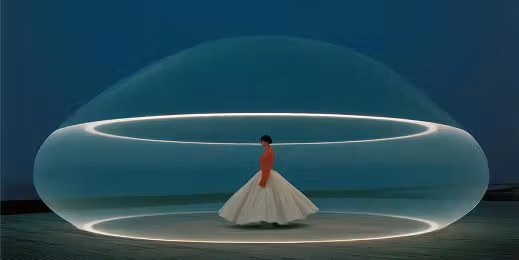
A woman in a flowing white skirt inside a translucent bubble with glowing rings 16:9
A slow cinematic push-in…
FOR EVERY TEAM

Built for people who create.

A creator reviewing video on a desktop monitor at a studio desk

CREATORS

Create video clips from an idea or reference image, then edit them into short films and social posts.

Two colleagues reviewing printed visual references at a shared desk

MARKETERS

Try different ad scenes with the same product assets, and compare the concepts before a campaign.

A smiling woman in a white top against a light background

E-COMMERCE TEAMS

Add camera movement and use-case scenes to product images for store and product-page videos.

A man's portrait in a dark patterned shirt against a black background

AGENCIES & STUDIOS

Generate concept shots for pitches, and use short visual studies to discuss framing and pacing with clients.

Start creating
CREATE ANYWHERE

Your next idea can happen anywhere.

Use the responsive Kling 4 workspace on your phone, tablet or desktop.

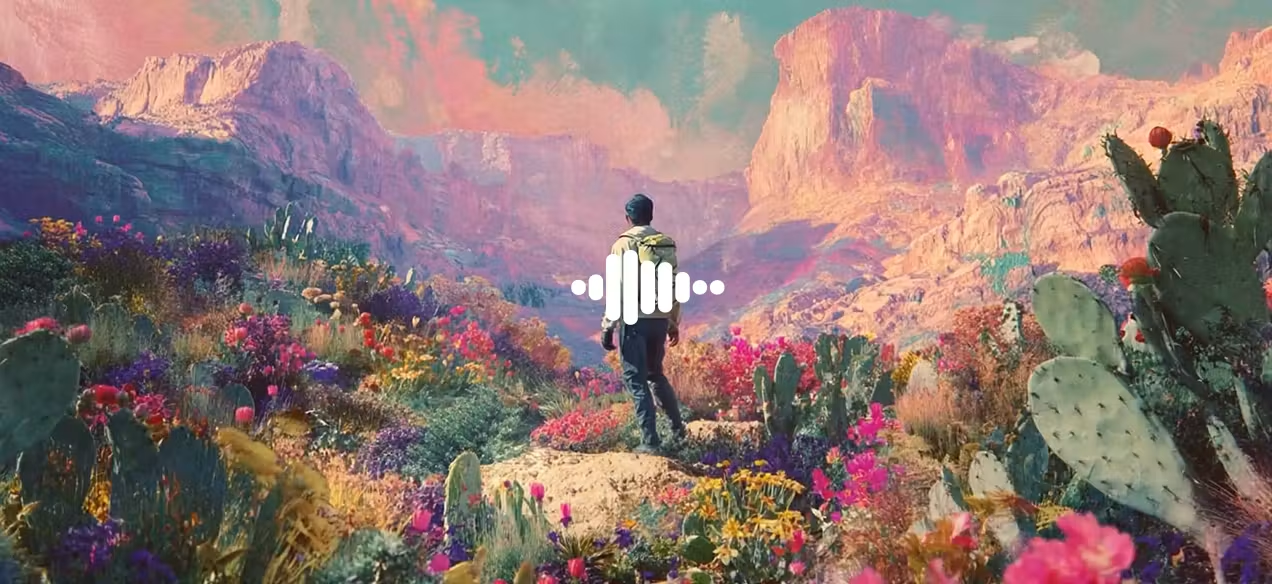
Kling 4A traveler standing in a colorful canyon filled with flowers
Your next scene
YOUR QUESTIONS, ANSWERED

Kling 4 FAQs

Answers about video creation, references, models and plans.

What is Kling 4?

Kling 4 is an AI video creation workspace. Start with a text description or reference image, and manage your model choices, reference media and generated videos in one place.

What can I create with Kling 4?

Create product clips, ad concepts, social content and story shots. Use your own product images, character references and prompts to explore framing, camera movement and visual styles, then edit the clips into a finished video.

Is Kling 4 suitable for beginners?

Yes. Sign in, open the workspace and choose text to video or image to video. Describe the subject, action and setting in a sentence, or start with a prompt template. Then adjust the aspect ratio, duration and other available settings.

Can I try video generation for free?

New users receive 40 welcome credits after verifying their account, once per person. Select Kling 2.5 Turbo, 480p, 5 seconds and one video to try generation without VIP. The estimated cost is shown before submission.

Can I use my own images and videos?

Yes. Image to video starts from your uploaded image. The workspace shows the upload inputs for your selected mode, and saved media can be reused from your asset library.

How should I choose between Kling 4.0 and Flash?

Kling 4.0 focuses on higher quality, longer videos and detailed creative control. Flash focuses on speed and value for frequent creation. Use the comparison above to match your duration, resolution and keyframe needs.

How long does video generation take?

Generation time varies with the model, video duration, quality and queue. After submitting, follow the task progress in your conversation. When it is complete, you can preview and download the video.

How do I choose a plan and credits?

The model, duration, quality and audio settings determine the credit quote shown before submission. The pricing page offers monthly plans, yearly plans and one-time credit packs. Yearly plans show their full annual price and savings so you can compare them with your expected usage.

Where can I view and download my videos?

Completed videos appear in the conversation where you submitted the task and in My Assets under My Creations. Open a result to preview or download it. Saved creations remain linked to your account for later access.

What happens to credits when generation fails?

A confirmed failed task releases its reserved credits. This is separate from refunding a purchase. If a task is still pending or being checked, wait for its final state and inspect the credit history.

MAKE SOMETHING
WORTH WATCHING.

Estimating…